Keep Track of Everything You Own
A desktop application for managing your home inventory with photos, categories, and powerful search capabilities.
Download for Your Platform
Linux (Debian/Ubuntu)
.deb Package
Download .debSystem Requirements
- Debian/Ubuntu-based distribution
- Python 3.8 or higher
- 500 MB free disk space
Installation Instructions
sudo dpkg -i home-inventory-app_1.0.0-1_all.deb
sudo apt-get install -f
Or double-click the .deb file to install via Software Center.
Linux (Universal)
AppImage - Portable
Download AppImageSystem Requirements
- Any Linux distribution
- No installation required
- 500 MB free disk space
Installation Instructions
chmod +x Home_Inventory_Manager-1.0.0-x86_64.AppImage
./Home_Inventory_Manager-1.0.0-x86_64.AppImage
AppImage is portable - just download and run!
Windows
Standalone Executable
Download .exeSystem Requirements
- Windows 10 or later
- 64-bit processor
- 500 MB free disk space
Installation Instructions
1. Download the executable file
2. Run the installer and follow the prompts
3. Launch from your Start Menu
macOS
Manual Install
View InstructionsSystem Requirements
- macOS with Python 3.8 or higher
- py2app installed in your environment
- Build from source using the project setup script
Why Manual Install
Features
Item Management
Add, edit, and delete inventory items with detailed information including value, purchase date, and notes
Categories & Locations
Organize items with custom categories and track storage locations throughout your home
Multiple Photos
Attach multiple photos to each item for easy visual identification and documentation
Search & Filter
Quickly find items by name, category, value range, or purchase date with powerful search tools
Data Analysis
Visualize your inventory with pie charts and histograms grouped by category or location
Export Options
Export your inventory to CSV or PDF format with embedded photos for insurance or records
Screenshots
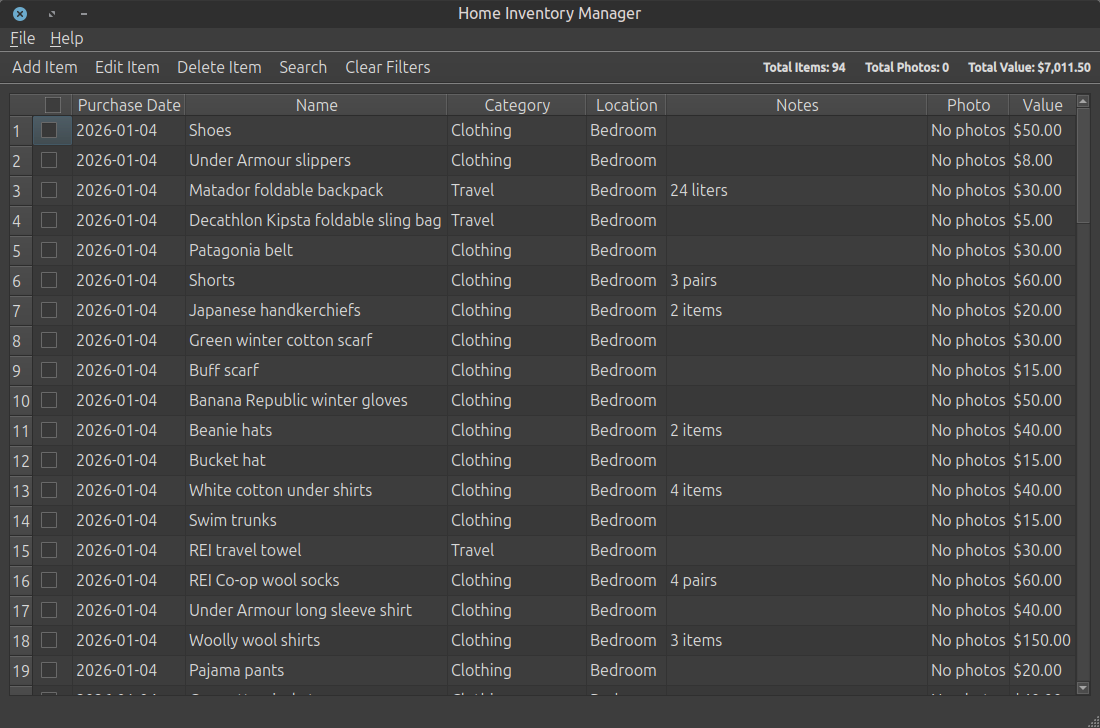
Main Window - Inventory Overview
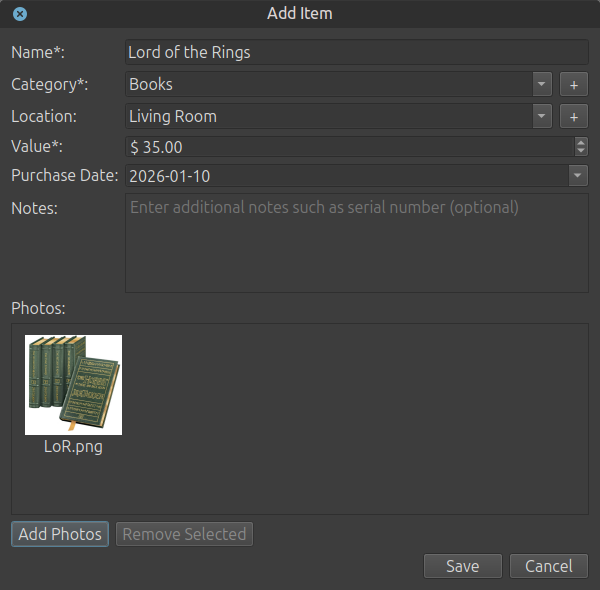
Add Item Dialog with Photos
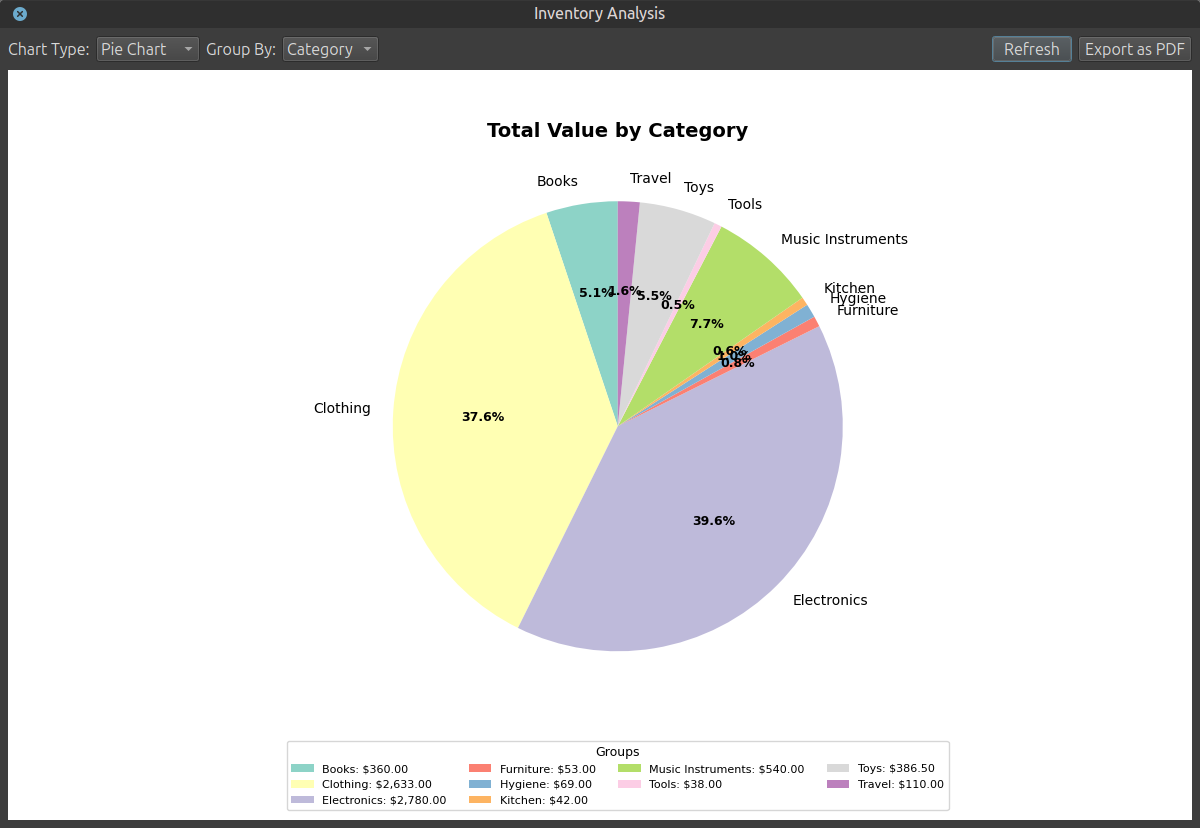
Data Analysis with Pie Charts
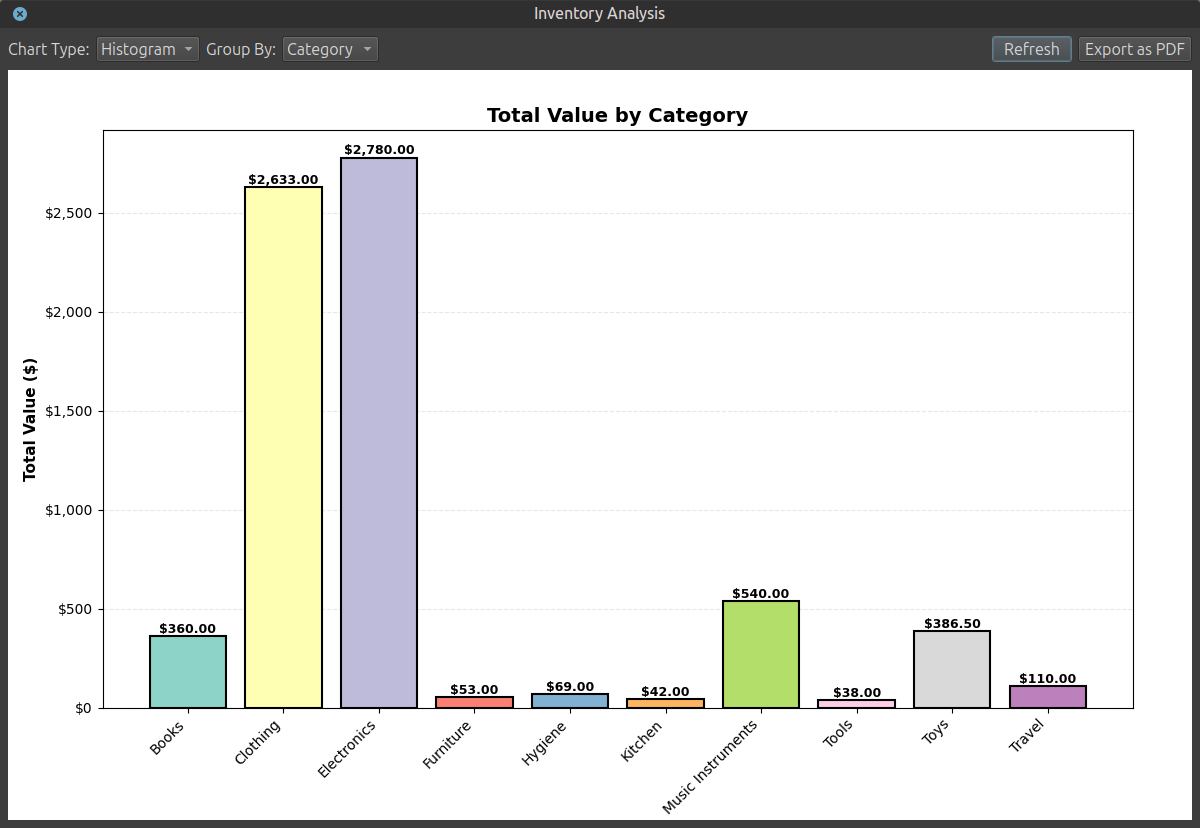
Category Histogram Analysis
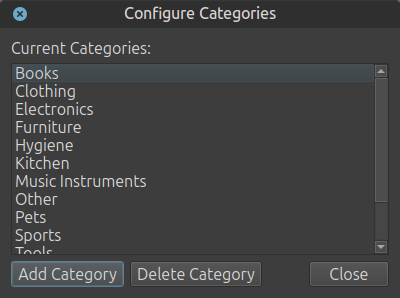
Custom Category Management
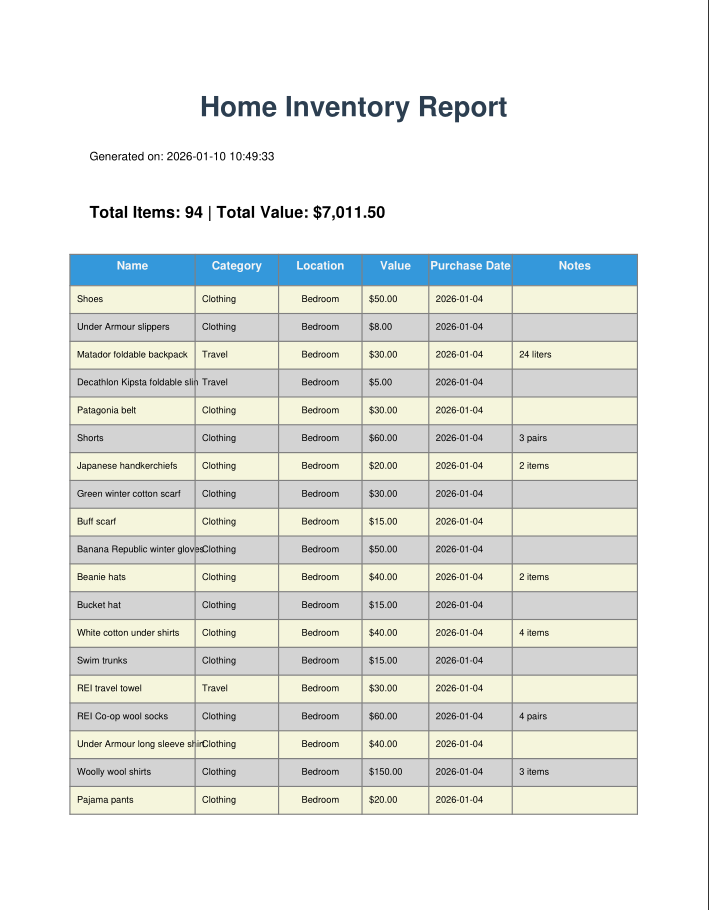
Export Inventory to PDF
Frequently Asked Questions
Where is my data stored?
Your inventory database and photos are stored locally on your computer in
~/.local/share/home-inventory-app/ (Linux) or your user directory (Windows). No
data is sent to external servers.
Can I backup my data?
Yes! Simply export your inventory to CSV or PDF, or copy the entire application data folder to backup your database and photos.
How do I contact the developer?
For questions, feedback, or support, please email: hello@hiattzhao.com